Social
Social palette
The social palette requires moments of increased brand expression and flex and therefore contains all primary colours, tints, shades and accents.
Follow the overall colour guidance to ensure brand coherence across channels.
The social palette has:
Blues
- Primary blue
- RGB 29 112 184
- #1D70B8
- Blue tint 25%
- RGB 86 148 202
- #5694CA
- Blue tint 50%
- RGB 142 184 220
- #8EB8DC
- Blue tint 80%
- RGB 210 226 241
- #D2E2F1
- Blue tint 95%
- RGB 244 248 251
- #F4F8FB
- Blue shade 10%
- RGB 26 101 166
- #1A65A6
- Blue shade 25%
- RGB 22 84 138
- #16548A
- Blue shade 50%
- RGB 15 56 92
- #0F385C
- Accent blue
- RGB 17 224 241
- #11E0F1
Greens
- Primary green
- RGB 15 122 82
- #0F7A52
- Green tint 25%
- RGB 75 155 125
- #4B9B7D
- Green tint 50%
- RGB 135 188 168
- #87BCA8
- Green tint 80%
- RGB 207 228 220
- #CFE4DC
- Green tint 95%
- RGB 243 248 246
- #F3F8F6
- Green shade 25%
- RGB 11 92 62
- #0B5C3E
- Green shade 50%
- RGB 8 61 41
- #083D29
- Accent green
- RGB 102 243 158
- #66F39E
Teals
- Primary teal
- RGB 21 129 135
- #158187
- Teal tint 25%
- RGB 80 161 165
- #50A1A5
- Teal tint 50%
- RGB 138 192 195
- #8AC0C3
- Teal tint 80%
- RGB 208 230 231
- #D0E6E7
- Teal tint 95%
- RGB 243 249 249
- #F3F9F9
- Teal shade 25%
- RGB 16 97 101
- #106165
- Teal shade 50%
- RGB 11 65 68
- #0B4144
- Accent teal
- RGB 0 255 224
- #00FFE0
Purples
- Primary purple
- RGB 84 49 159
- #54319F
- Purple tint 25%
- RGB 127 101 183
- #7F65B7
- Purple tint 50%
- RGB 170 152 207
- #AA98CF
- Purple tint 80%
- RGB 221 214 236
- #DDD6EC
- Purple tint 95%
- RGB 246 245 250
- #F6F5FA
- Purple shade 25%
- RGB 63 37 119
- #3F2577
- Purple shade 50%
- RGB 42 25 80
- #2A1950
- Accent purple
- RGB 186 74 255
- #BA4AFF
Magentas
- Primary magenta
- RGB 202 53 124
- #CA357C
- Magenta tint 25%
- RGB 215 104 157
- #D7689D
- Magenta tint 50%
- RGB 229 154 190
- #E59ABE
- Magenta tint 80%
- RGB 244 215 229
- #F4D7E5
- Magenta tint 95%
- RGB 252 245 248
- #FCF5F8
- Magenta shade 25%
- RGB 152 40 93
- #98285D
- Magenta shade 50%
- RGB 101 27 62
- #651B3E
- Accent magenta
- RGB 255 82 238
- #FF52EE
Reds
- Primary red
- RGB 202 53 53
- #CA3535
- Red tint 25%
- RGB 215 104 104
- #D76868
- Red tint 50%
- RGB 229 154 154
- #E59A9A
- Red tint 80%
- RGB 244 215 215
- #F4D7D7
- Red tint 95%
- RGB 252 245 245
- #FCF5F5
- Red shade 25%
- RGB 152 40 40
- #982828
- Red shade 50%
- RGB 101 27 27
- #651B1B
- Accent red
- RGB 255 94 94
- #FF5E5E
Oranges
- Primary orange
- RGB 244 119 56
- #F47738
- Orange tint 25%
- RGB 247 153 106
- #F7996A
- Orange tint 50%
- RGB 250 187 156
- #FABB9C
- Orange tint 80%
- RGB 253 228 215
- #FDE4D7
- Orange tint 95%
- RGB 254 248 245
- #FEF8F5
- Orange shade 25%
- RGB 183 89 42
- #B7592A
- Orange shade 50%
- RGB 122 60 28
- #7A3C1C
- Accent orange
- RGB 255 175 74
- #FFAF4A
Yellows
- Primary yellow
- RGB 255 221 0
- #FFDD00
- Yellow tint 25%
- RGB 255 230 64
- #FFE640
- Yellow tint 50%
- RGB 255 238 128
- #FFEE80
- Yellow tint 80%
- RGB 255 248 204
- #FFF8CC
- Yellow tint 95%
- RGB 255 253 242
- #FFFDF2
- Yellow shade 25%
- RGB 191 166 0
- #BFA600
- Yellow shade 50%
- RGB 128 111 0
- #806F00
- Accent yellow
- RGB 252 255 82
- #FCFF52
Neutrals
- Black
- RGB 11 12 12
- #0B0C0C
- Black tint 25%
- RGB 72 73 73
- #484949
- Black tint 50%
- RGB 133 134 134
- #858686
- Black tint 80%
- RGB 206 206 206
- #CECECE
- Black tint 95%
- RGB 243 243 243
- #F3F3F3
- White
- RGB 255 255 255
- #FFFFFF
Use colour to reflect tone
Our updated palette has been developed to allow a range in expression across the inform to inspire scale.
There are moments where the brand needs to feel functional and serious, guiding users seamlessly to the content and services they need. With the introduction of new channels such as social, there are also moments where the brand needs impact and visual differentiation.
Within our palette there are two approaches to colour application: tonal colours and companion colours.
Depending on tonal requirement, each can be used to achieve a different level of expression. The following guidance details the use of these two approaches.
From most informative to most inspiring




Colour use options (from left to right):
- black and white
- dark shade
- Primary blue
- tonal colour
- companion colour
Tonal colour examples
Colour can be used to reflect tone of a message.
For more sensitive messaging, colours from within the same tonal range are used to feel more serious, informative and functional.
Indicative examples for illustrative purposes only.
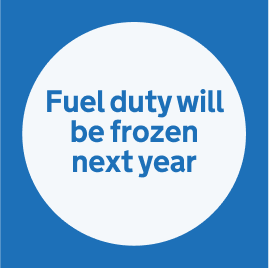
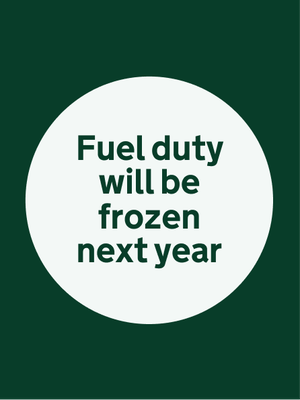
Green tones
- Green tint 95%
- RGB 243 248 246
- #F3F8F6
- Green shade 50%
- RGB 8 61 41
- #083D29
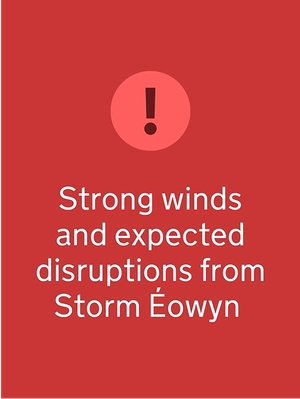
Red tones
- Primary red
- RGB 202 53 53
- #CA3535
- Red shade 50%
- RGB 101 27 27
- #651B1B
- Accent red
- RGB 255 94 94
- #FF5E5E
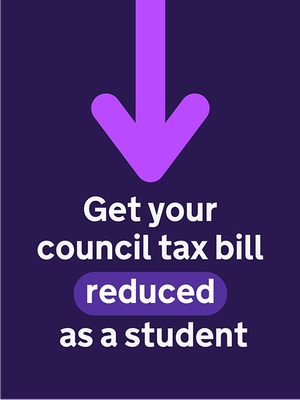
Purple tones
- Purple tint 95%
- RGB 246 245 250
- #F6F5FA
- Primary purple
- RGB 84 49 159
- #54319F
- Purple shade 50%
- RGB 42 25 80
- #2A1950
- Accent purple
- RGB 186 74 255
- #BA4AFF
Companion colour set
Use companion colours when you need to emphasise something, like prompting action or sharing something positive. We’ve kept the set to 9 combinations to make sure they stay accessible.
Some pairings may be harder to see for people with visual impairments or colour blindness.
Choose combinations carefully and use a tool like WhoCanUse.com to check they meet WCAG 2.2 Contrast (Minimum) Level AA.
Do not rely on colour alone to show meaning, signal an action or prompt a response. For more detail, see WCAG 2.2: Use of Colour (Level A).
Remember, some users browse with high-contrast settings or dark mode. Colours may need to be adjusted to work in those contexts.
Primary blue on Primary yellow

- Primary blue
- RGB 29 112 184
- #1D70B8
- Primary yellow
- RGB 255 221 0
- #FFDD00
Primary red on Magenta tint 95%

- Magenta tint 95%
- RGB 252 245 248
- #FCF5F8
- Primary red
- RGB 202 53 53
- #CA3535
Primary magenta on Blue tint 95%

- Blue tint 95%
- RGB 244 248 251
- #F4F8FB
- Primary magenta
- RGB 202 53 124
- #CA357C
Purple shade 50% on Primary yellow

- Primary yellow
- RGB 255 221 0
- #FFDD00
- Purple shade 50%
- RGB 42 25 80
- #2A1950
Purple shade 25% on Accent blue
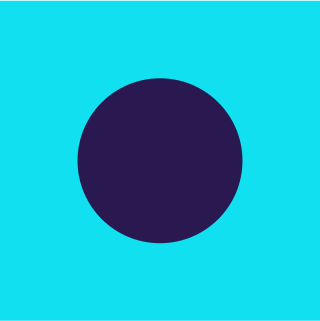
- Accent blue
- RGB 17 224 241
- #11E0F1
- Purple shade 25%
- RGB 63 37 119
- #3F2577
Blue shade 50% on Accent green
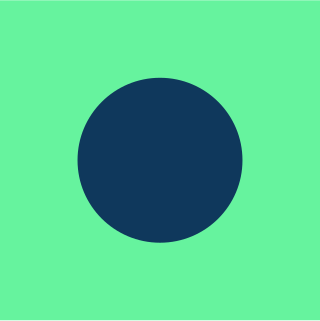
- Accent green
- RGB 102 243 158
- #66F39E
- Blue shade 50%
- RGB 15 56 92
- #0F385C
Accent blue on Green shade 50%

- Green shade 50%
- RGB 8 61 41
- #083D29
- Accent blue
- RGB 17 224 241
- #11E0F1
Accent blue on Primary blue

- Primary blue
- RGB 29 112 184
- #1D70B8
- Accent blue
- RGB 17 224 241
- #11E0F1
Primary yellow on Red shade 50%
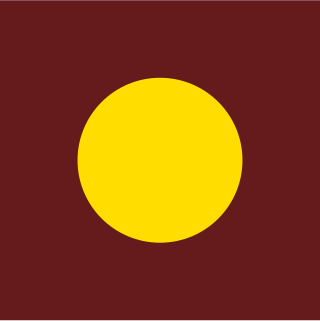
- Red shade 50%
- RGB 101 27 27
- #651B1B
- Primary yellow
- RGB 255 221 0
- #FFDD00
Companion colour examples
Colour can be used to reflect tone of a message.
For more sensitive messaging, colours from within the same tonal range are used to feel more serious, informative and functional.
Indicative examples for illustrative purposes only.
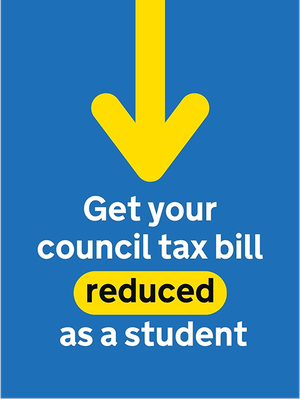
Primary yellow on Primary blue
- Primary blue
- RGB 29 112 184
- #1D70B8
- Primary yellow
- RGB 255 221 0
- #FFDD00
Primary magenta and Blue shade 50% on Magenta tint 95%
- Primary magenta
- RGB 202 53 124
- #CA357C
- Blue shade 50%
- RGB 15 56 92
- #0F385C
- Magenta tint 95%
- RGB 252 245 248
- #FCF5F8

Blue shade 50% on Accent green
- Accent green
- RGB 102 243 158
- #66F39E
- Blue shade 50%
- RGB 15 56 92
- #0F385C