App
App logo system
In GOV.UK apps we follow the primary logo system, using the wordmark as the main identifier while incorporating the crown as a supporting element to aid trust and recognition.
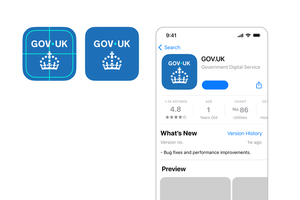
An example of this is the GOV.UK app icon.
Wordmark

Crown
App icon

An exception to this principle includes other GOV.UK apps, where the symbol or identifier may be used instead of the crown within the app icon. See the App icon suite section on this page.
Logo elements within the app
We always lead with the wordmark as our primary brand identifier - positioning it in a prominent position.
We use the crown as a supporting element that sits below or at the end of content.
Indicative examples for illustrative purposes only.
Crown watermark
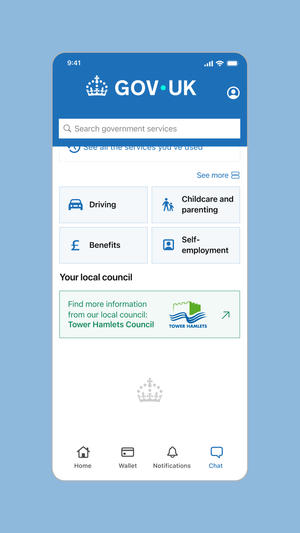
App splash screen
Video description of app splash screen
No audio. The dot leads a trail of other dots of various colours in a spiral towards the centre of a mobile screen, where it becomes the dot within the GOV.UK logo as it fades and pushes in.
At the bottom of the screen, the crown logo element is revealed by a circular iris effect at the bottom of the screen as the dots in the crown rise and fan out.
App icon
The GOV.UK app icon should follow the same principle, leading with the wordmark and using the crown as a supporting element.
As this is a small use application of the logo elements, we use the enlarged crown size to maximise legibility and recognition.
App icon suite
As the family of GOV.UK applications grows, the need for a consistent approach to app icon design is necessary.
The suite of icons should follow the same principles, leading with the GOV.UK wordmark for recognition, with the symbol below, replacing the crown.
An example of this is the GOV.UK One Login app.

Framework

Example 1: GOV.UK app

Example 2: GOV.UK One Login